
Weighted Grade Calculator – Calculate Your Weighted Grades Easily
| Category | Weight% | Score | Out of |
|---|
Other Tools for Weighted Grade Calculation
What Is a Weighted Grade Calculator?
If you want to know your real performance in subjects with different importance, a weighted grade calculator gives you a clear answer. It helps you understand your grades in a more accurate way instead of treating all subjects the same.
A weighted grade calculator is a tool that calculates your average by giving more value to subjects with higher weight or credit. This means not all subjects affect your result equally. Some subjects count more than others.
You can use the weighted grade calculator below to enter your grades and weights. Click calculate to get your result instantly and understand your academic performance better.
Why Weighted Grades Matter
Weighted grades matter because not all subjects are equal in difficulty or importance. Some subjects have more credit hours or a higher value, so they should have a bigger impact on your final result.
If you only use a simple average, it may not show your true performance. A weighted grade calculator solves this problem by giving each subject the right importance.
This method is widely used in schools, colleges, and universities. It gives a more fair and realistic result compared to basic grade calculation.
How a Weighted Grade Calculator Works
A weighted grade calculator uses a simple method. It multiplies each grade by its weight and then calculates the average based on total weight.
Each subject has:
- A grade (marks or percentage)
- A weight (credit hours or percentage value)
The calculator multiplies grade × weight for each subject, adds all values, and divides by total weight.
This process ensures that subjects with higher weights have more effect on your final result.
Weighted Grade Formula
The weighted grade calculator uses a standard formula:
Weighted Grade = (Grade × Weight + Grade × Weight + …) ÷ Total Weight
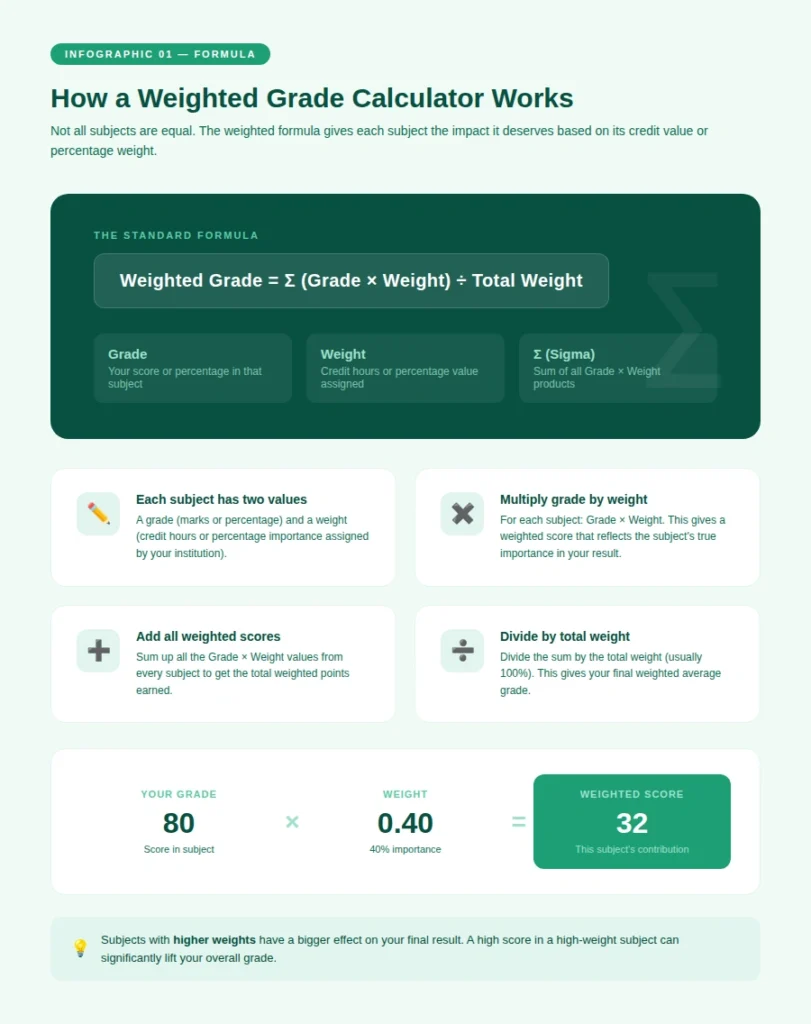
This formula makes sure each subject contributes according to its importance.
You do not need to calculate this manually because the weighted grade calculator does it for you instantly.
How to Use a Weighted Grade Calculator
Using a weighted grade calculator is simple. You only need your grades and subject weights.
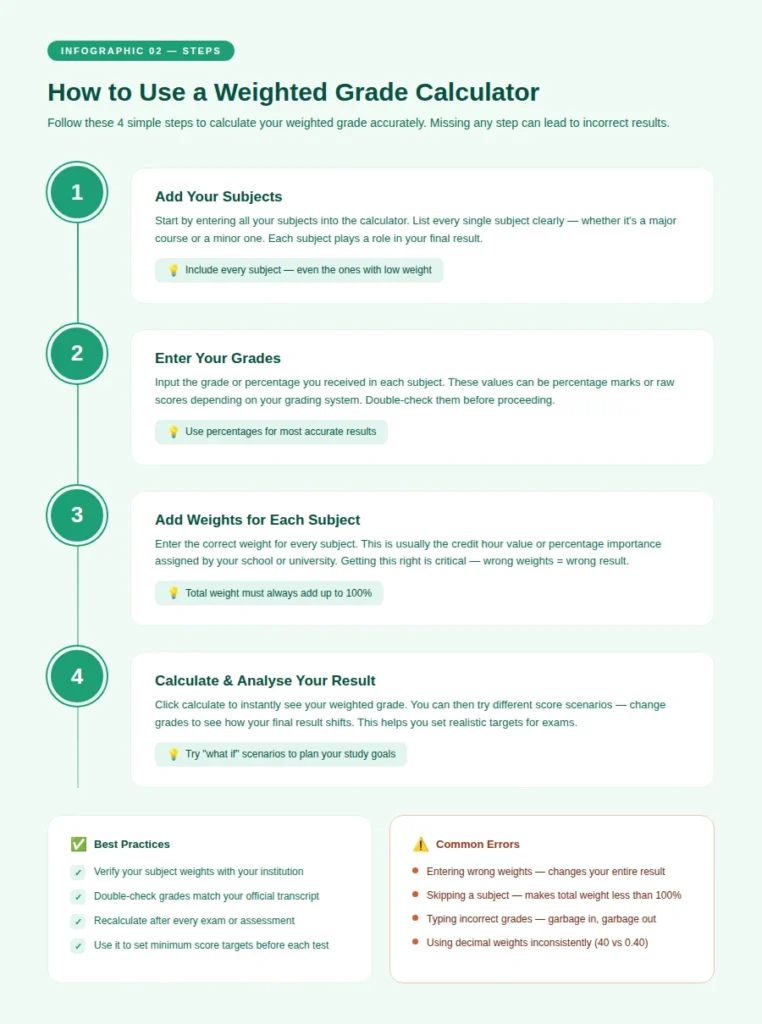
Follow these steps to calculate your result correctly.
Step 1: Add Your Subjects
Start by entering all your subjects into the weighted grade calculator. Each subject should be listed clearly.
Make sure you include every subject to get an accurate result. Missing one subject can change your final grade.
Step 2: Enter Your Grades
Enter the grades or marks you received in each subject. These can be percentages or scores.
The weighted grade calculator will use these values to calculate your final result.
Step 3: Add Weights
Each subject has a weight. This can be credit hours or a percentage value.
Enter the correct weight for each subject because it affects how much impact the subject has.
Step 4: Calculate Your Result
After entering all data, click calculate. The weighted grade calculator will show your result instantly.
You can try different values to see how your grade changes. This helps in planning your targets.
Weighted Grades vs Simple Average
A simple average treats all subjects equally, while weighted grades give importance based on value.
For example, a subject with higher credit hours should affect your result more than a small subject. A weighted grade calculator makes this possible.
Using a simple average can sometimes give a misleading result. That is why weighted calculation is more accurate.
Where Weighted Grades Are Used
Weighted grades are used in many academic systems. Schools and universities use them to calculate results more fairly.
They are also used in courses where some subjects are more important than others.
If your system uses credit hours or weighted percentages, a weighted grade calculator is the right tool for you.
Benefits of Using a Weighted Grade Calculator
A weighted grade calculator makes grade calculation easy and accurate. It helps you understand your real performance.
It also saves time and reduces confusion when dealing with multiple subjects.
Saves Time
Manual calculation of weighted grades can take time. A weighted grade calculator gives results quickly.
You do not need to write formulas or do complex math.
More Accurate Results
This method gives a more accurate result because it considers subject importance.
It shows your real performance instead of a simple average.
Easy to Use
The weighted grade calculator is simple and user-friendly. You just enter values and get results.
It works for students at all levels.
Helps in Planning
You can use it to test different grade scenarios. This helps you understand what scores you need.
It allows better planning for exams and assignments.
Example of Weighted Grade Calculation
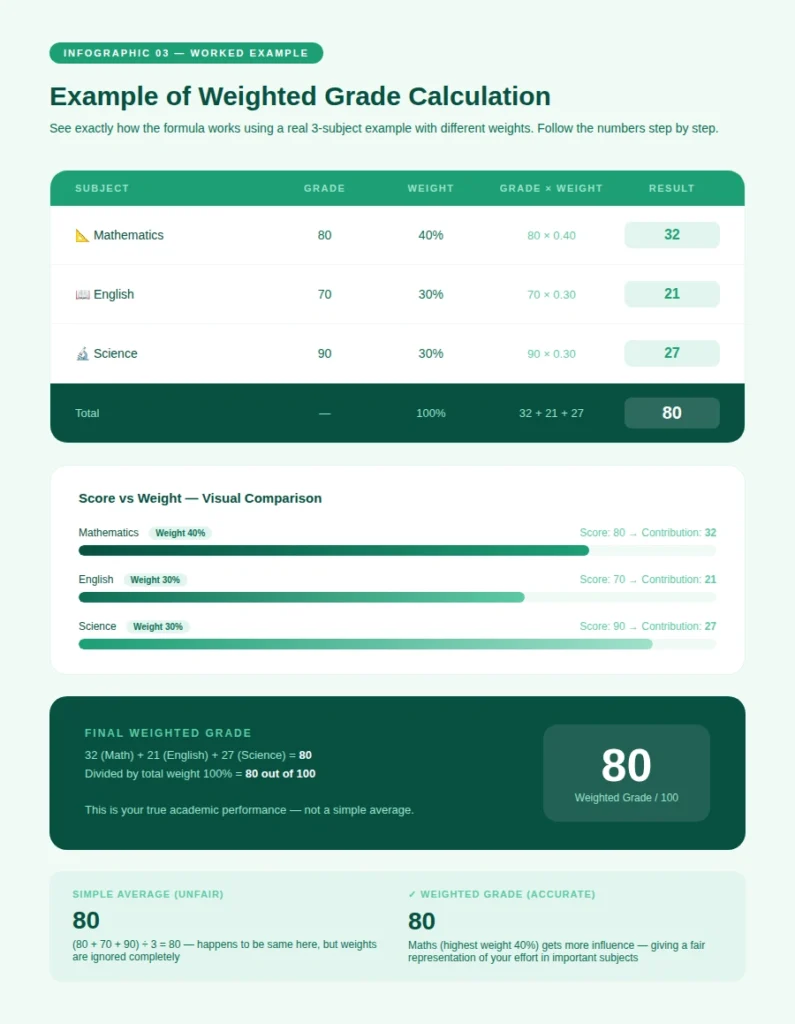
Understanding an example makes it easier to see how a weighted grade calculator works.
Suppose you have three subjects:
- Math: 80 marks, weight 40%
- English: 70 marks, weight 30%
- Science: 90 marks, weight 30%
Now calculate:
- Math: 80 × 0.40 = 32
- English: 70 × 0.30 = 21
- Science: 90 × 0.30 = 27
Total = 80
Final Weighted Grade = 80
A weighted grade calculator does this instantly without manual effort.
Common Mistakes to Avoid
Many students make small mistakes when calculating weighted grades. These mistakes can change the result.
Being careful can help you avoid incorrect calculations.
Wrong Weights
Entering wrong weights can give incorrect results. Always check your subject weights.
Correct weights are important for accurate calculation.
Missing Subjects
Do not skip any subject. Each subject affects your final result.
Include all subjects for correct output.
Incorrect Grades
Always enter correct grades. Wrong values will give wrong results.
Double-check your data before calculating.
Weighted Grade and GPA
Weighted grades are often connected with GPA systems. Many institutions use weighted grades to calculate GPA.
If you want to calculate your overall performance, you can use a GPA Calculator after finding your weighted grades.
Using both tools together gives a clear understanding of your academic progress.
Tips to Improve Your Weighted Grades
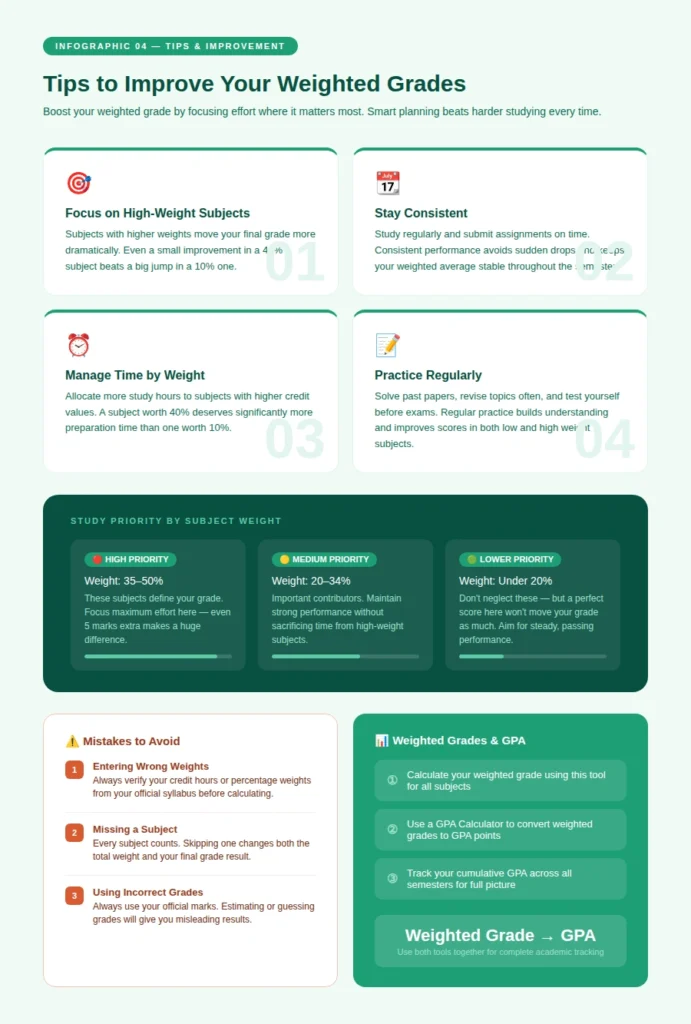
Improving your weighted grades requires focus and consistency. You need to work on both strong and weak subjects.
Tracking your grades with a weighted grade calculator helps you stay aware of your progress.
Focus on High Weight Subjects
Subjects with higher weights affect your result more. Give them extra attention.
Improving these subjects can increase your overall grade quickly.
Stay Consistent
Study regularly and complete assignments on time.
Consistency helps you maintain stable performance.
Manage Your Time
Divide your study time based on subject importance.
Spend more time on subjects with higher weight.
Practice Regularly
Practice helps improve your understanding and performance.
Solve problems and revise topics often.
Use Our Other Grade Tools
You can also use our GPA Calculator to calculate your overall academic performance. It helps you convert your grades into a GPA and track your progress.
Using both tools together gives a complete view of your results and helps you plan better.
Final Thoughts
A weighted grade calculator is a useful tool for students who want accurate results. It considers subject importance and gives a fair average.
By using it regularly, you can track your performance and plan your studies better. This helps you improve step by step.
Use the weighted grade calculator now and check your grades easily.