
Course Grade Calculator: Check Your Course Score Easily
How Weighted Grades Are Calculated
Course Grade = Σ (Score ÷ Out of × 100 × Weight ÷ 100)Each component score is converted to a percentage, then multiplied by its weight. All weighted scores are added together to get the final course grade.
Other Tools for Course Grade Planning
School grades are important for students, teachers, and parents. Many students want to know how well they are doing before the final exam arrives. A Course Grade Calculator helps students calculate their total course score in a simple way. It combines grades from quizzes, homework, assignments, projects, and exams to show the current course result.
Many students try to calculate course grades manually and become confused when different assignments have different weights. Some courses give more value to exams, while others focus more on homework or projects. A calculator makes this process easier and faster.
This guide explains how a Course Grade Calculator works, how weighted grades are calculated, and why students use this tool during the school year. You will also learn how to calculate course grades manually, avoid common mistakes, and improve your academic performance.
What Is a Course Grade Calculator?
A Course Grade Calculator is a tool that helps students calculate their overall score in a class or course. It combines grades from different activities and shows the final or current course average.
Most courses include several types of work, such as:
- Homework
- Quizzes
- Assignments
- Midterms
- Projects
- Final exams
Each activity may count differently toward the final course score. For example, homework may count for 20%, while exams count for 50%.
The calculator automatically combines these weighted scores and shows the course grade.
Students use this tool to track progress and understand where they stand in class.
Why Students Use a Course Grade Calculator
Students often use this calculator because course grading systems can become confusing. Different teachers use different grading methods, and manual calculations may lead to mistakes.
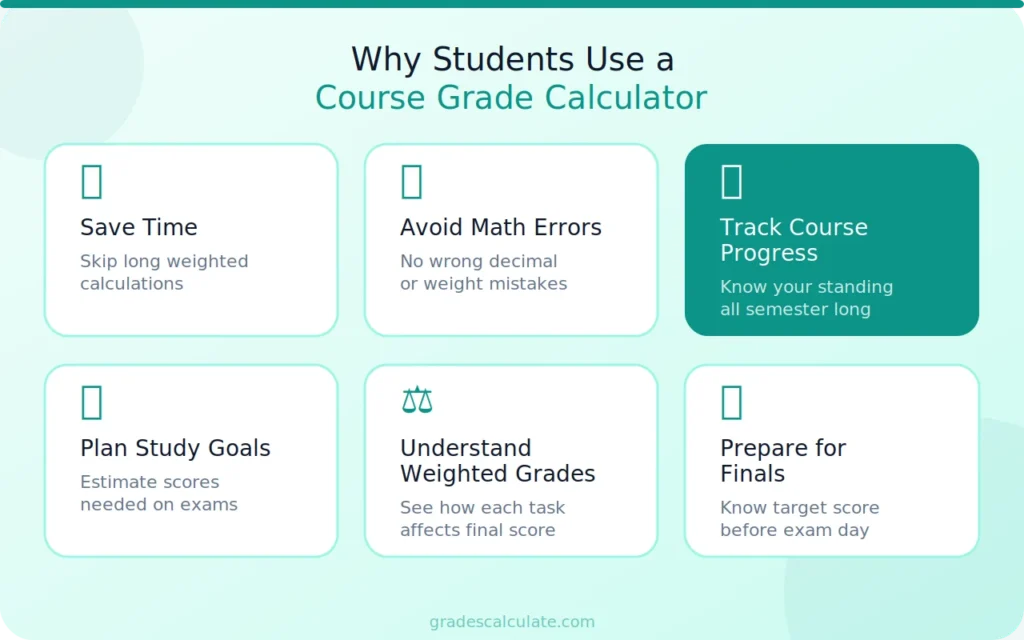
A Course Grade Calculator helps students:
- Save time
- Avoid math errors
- Track course progress
- Plan study goals
- Understand weighted grades
- Prepare for finals
Many students also use the tool before important exams to see what score they need to reach a target grade.
Teachers and parents may also use course grade calculators to monitor academic performance during the semester.
How Does a Course Grade Calculator Work?
The calculator works by combining grades and their weight percentages. Each assignment or test contributes a certain amount to the total course grade.
For example:
- Homework = 20%
- Quizzes = 20%
- Midterm = 25%
- Final Exam = 35%
If a student gets strong scores in homework but low scores in exams, the calculator adjusts the final course average based on those weights.
The process usually includes:
- Entering assignment scores
- Adding weight percentages
- Calculating weighted averages
- Showing the total course grade
This helps students understand how each score affects the final result.
Formula Used in Course Grade Calculation
Most course grades use weighted averages.
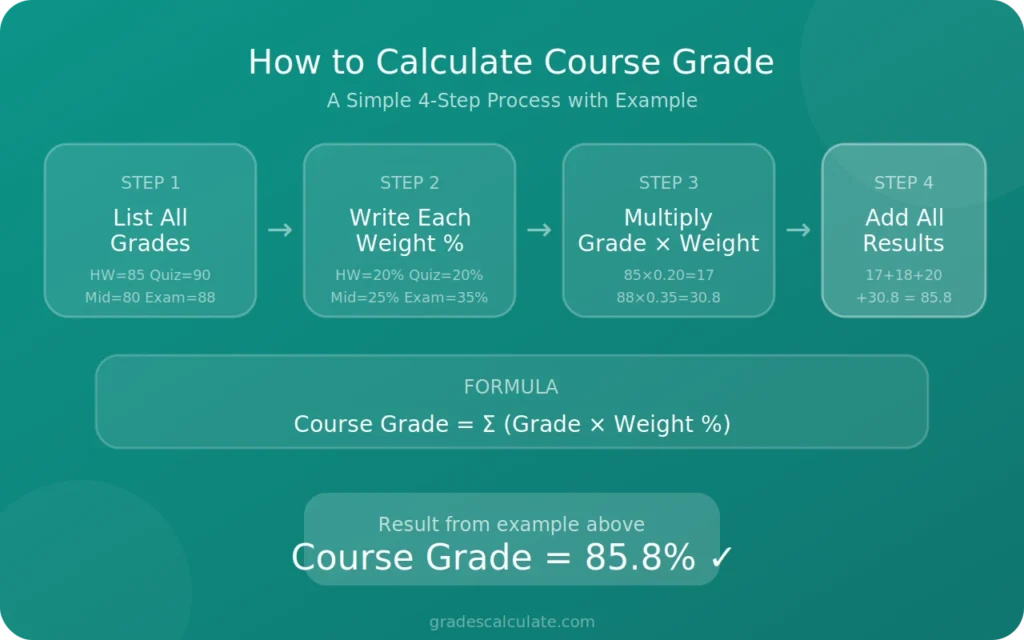
Course Grade=∑(Grade×Weight)\text{Course Grade} = \sum (\text{Grade} \times \text{Weight})Course Grade=∑(Grade×Weight)
This formula means each grade is multiplied by its weight percentage. After that, all results are added together to find the final course score.
Weighted grading systems are common in schools, colleges, and online learning platforms.
How to Calculate Course Grades Manually
Students can calculate course grades manually by following simple steps.
Step 1: List All Grades
Example:
- Homework = 85
- Quiz Average = 90
- Midterm = 80
- Final Exam = 88
Step 2: Write the Weight of Each Grade
- Homework = 20%
- Quizzes = 20%
- Midterm = 25%
- Final Exam = 35%
Step 3: Multiply Each Grade by Its Weight
- 85 × 0.20 = 17
- 90 × 0.20 = 18
- 80 × 0.25 = 20
- 88 × 0.35 = 30.8
Step 4: Add the Results
17 + 18 + 20 + 30.8 = 85.8
The course grade is 85.8%.
This method works for most weighted grading systems.
Difference Between Course Grade and Average Grade
Some students think course grades and average grades are the same thing, but they are different.
An average grade usually gives equal value to all scores. A course grade often uses weighted percentages.
For example:
- Average Grade: All scores count equally
- Course Grade: Exams may count more than homework
A Course Grade Calculator is helpful when classes use weighted grading systems.
Students who only need basic averages can also use an Average Grade Calculator for simple calculations.
Why Weighted Grades Matter
Weighted grades help teachers measure performance more fairly. Large exams usually test more knowledge than small homework assignments, so they often count more toward the final grade.
For example:
- Homework may count for 10%
- Final exams may count for 40%
This system encourages students to prepare seriously for important assessments.
Weighted grading also helps schools organize course evaluations more clearly.
Benefits of Using a Course Grade Calculator
This tool provides several useful benefits for students.
Fast Calculations
Students receive instant results without doing long calculations manually.
Better Accuracy
Manual math mistakes can lower accuracy. The calculator reduces those errors.
Easy Grade Tracking
Students can monitor class performance during the semester.
Helps With Study Planning
Students can estimate what scores they need on future tests.
Works for Different Courses
The calculator can be used for math, science, business, language classes, and other subjects.
These benefits make the tool useful for both school and college students.
When Should Students Use This Calculator?
Students can use a Course Grade Calculator throughout the school year.
It is useful during:
- Weekly grade tracking
- Midterm preparation
- Semester reviews
- Final exam planning
- Project grading
- Assignment review
Some students check grades after every assignment to stay updated on their course performance.
Others use it near the end of the semester to estimate final results.
Common Mistakes Students Make
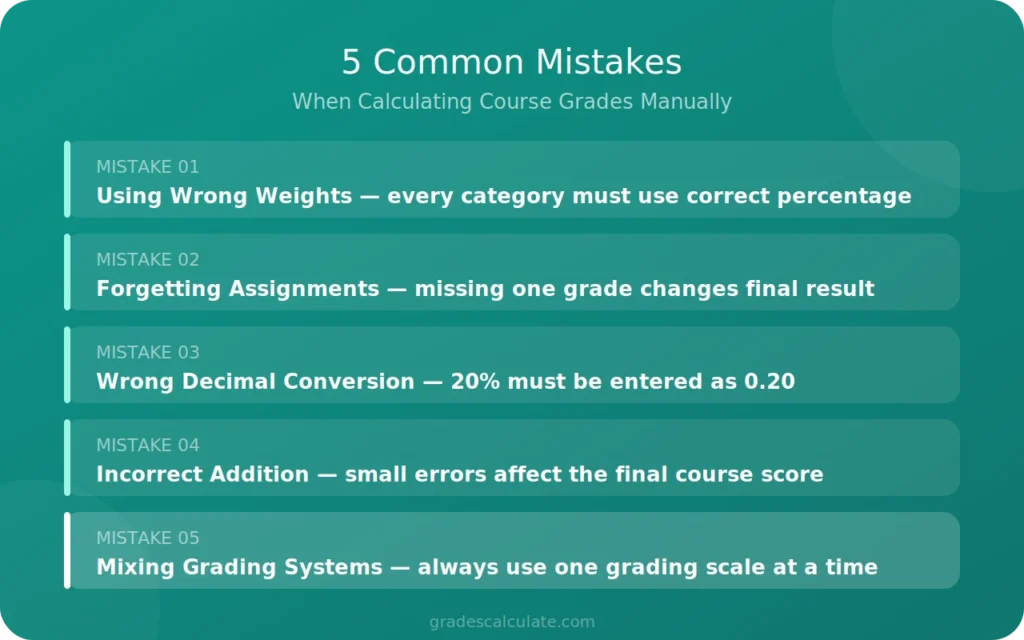
Students sometimes make errors when calculating course grades manually.
Using the Wrong Weights
Every assignment category must use the correct percentage.
Forgetting Assignments
Missing one grade can change the final result.
Wrong Decimal Conversion
Percentages must often be converted into decimal form.
Incorrect Addition
Small addition mistakes affect the final course score.
Mixing Different Grading Systems
Students should use one grading scale at a time.
A Course Grade Calculator helps reduce these problems.
Tips to Improve Course Grades
Students who want stronger course scores can follow simple study habits.
Complete Assignments Early
Late work may reduce grades in many classes.
Study Before Exams
Exams often carry higher weight percentages.
Review Teacher Feedback
Teacher comments can help students improve Future work.
Stay Organized
Tracking deadlines helps avoid missing assignments.
Ask Questions in Class
Students should ask for help when lessons feel confusing.
Monitor Grades Regularly
Checking scores often helps students notice problems early.
Small improvements during the semester can raise the final course grade.

Who Can Use a Course Grade Calculator?
This calculator is useful for many people.
School Students
Students can track class performance during the year.
College Students
College courses often use weighted grading systems.
Teachers
Teachers may use calculators during grading periods.
Parents
Parents can monitor their child’s school progress.
Online Learners
Online courses also use assignments and weighted scores.
The calculator works for many learning systems.
Subjects Where Course Grade Calculators Help
A Course Grade Calculator can be used in many subjects.
Examples include:
- Math
- Science
- English
- History
- Business
- Computer studies
- Language courses
- Social studies
Students only need assignment scores and weight percentages.
Why Accurate Course Grades Are Important
Correct course grades help students understand academic progress clearly.
Grades may affect:
- Scholarships
- College admission
- Academic standing
- Course placement
- Honors programs
Even small calculation mistakes may change the final score. That is why many students prefer using a Course Grade Calculator instead of calculating everything manually.
How Course Grade Tracking Helps Students
Students who track grades regularly often feel more prepared during the semester.
For example, a student may notice strong homework grades but weak test performance. This helps identify areas that need improvement before final exams arrive.
Tracking grades also helps students set realistic study goals and manage time better during busy school weeks.
Features to Look for in a Course Grade Calculator
Different calculators include different features.
Useful features include:
- Weighted grade support
- Fast calculations
- Mobile compatibility
- Easy layout
- Multiple assignment fields
- Instant results
A simple calculator design also helps students use the tool more comfortably.
More Grade Tools for Students
Different grading systems use different calculation methods. Some students need GPA tracking, while others need weighted averages or final exam calculations. Using the correct grade calculator helps students understand scores more clearly and reduce grading mistakes during the school year.
Conclusion
A Course Grade Calculator helps students calculate course scores quickly and accurately. It combines assignment grades, quizzes, exams, and weighted percentages into one final result.
Students use this tool to track academic progress, prepare for exams, and understand how each assignment affects the final course grade. Teachers and parents may also use it to monitor school performance during the semester.
Whether you are checking one assignment or an entire semester, a course grade calculator makes grade tracking easier and faster.