
School Grade Calculator – Easy Way to Calculate Your School Grades
US Grading Scale
Other Tools for School Grade Calculation
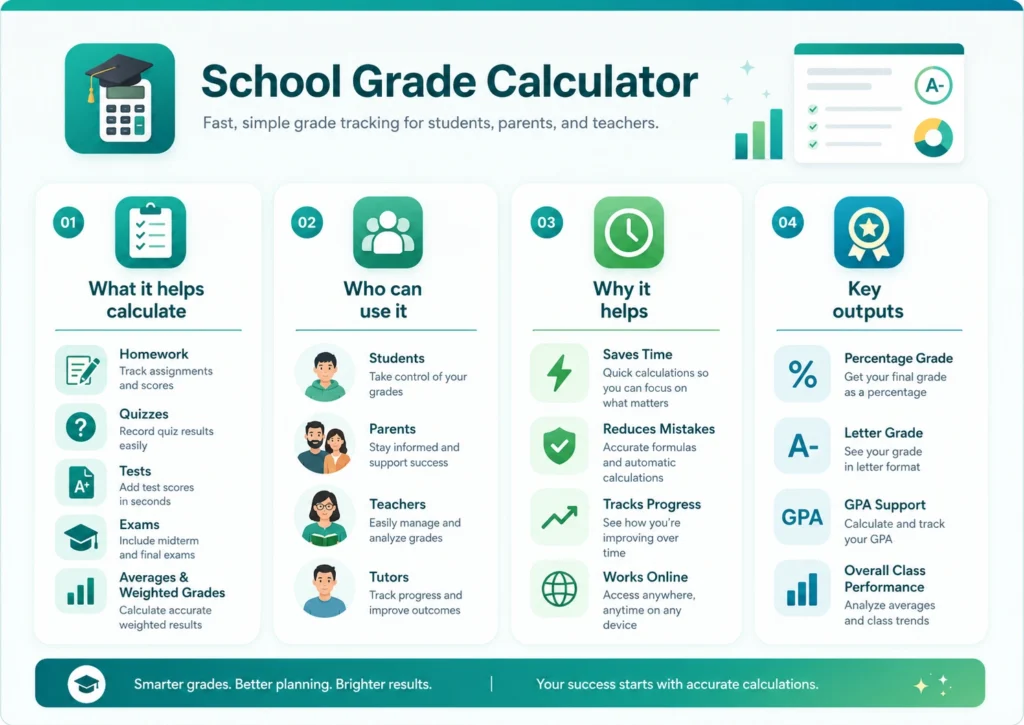
A school grade calculator helps students check their grades in a fast and simple way. You can use it to find your average score, final result, or class performance without doing hard math by hand. Many students make mistakes when they try to calculate grades on paper. A school grade calculator saves time and gives quick answers.
This tool is useful for school students, parents, and teachers. You only need to enter your marks, percentages, or assignment scores, and the calculator will do the work for you. Whether you want to track quiz grades, homework scores, or exam results, this tool can help you understand your performance better.
On this page, you will learn how a school grade calculator works, why students use it, how to calculate grades step by step, and how to improve your school results over time.
What Is a School Grade Calculator?
A school grade calculator is an online tool that helps students calculate grades using scores from tests, assignments, projects, homework, and exams. Instead of solving everything manually, the calculator gives the result automatically after entering the numbers.
Students use this tool to check current grades during the school year. Some students also use it before final exams to know what score they need to pass a subject or improve their average. Teachers and parents can also use a school grade calculator to track student progress.
The calculator works with different grading systems. Some schools use percentages, while others use letter grades like A, B, C, D, or GPA scores. A good school grade calculator supports many grading styles so students from different schools can use it easily.
Why Students Use a School Grade Calculator
Many students feel confused when they try to calculate grades manually. Different assignments may have different weights, and final exams may count more than quizzes. A school grade calculator makes the process simple.
Here are some common reasons students use this tool:
- To check current grades quickly
- To know how much they need on the final exam
- To track class performance during the semester
- To avoid math mistakes
- To save time during homework planning
- To understand grade averages clearly
Students can use the tool anytime during the school year. It is useful before tests, after assignments, or when report cards are close.
How a School Grade Calculator Works
A school grade calculator uses numbers entered by the student to calculate the final result. The process is simple and easy for beginners.
Usually, students enter:
- Assignment scores
- Quiz grades
- Test marks
- Exam percentages
- Grade weights
The calculator then combines all the numbers and shows the final grade. Some calculators also show letter grades and GPA results.
For example, if homework counts for 20%, quizzes count for 30%, and exams count for 50%, the calculator will multiply each score by its weight and then combine the results.
This helps students see the exact impact of each assignment on the final grade.
Benefits of Using a School Grade Calculator
Using a school grade calculator gives many benefits to students. It makes grade tracking easier and helps students stay organized.
Saves Time
Manual calculations can take a long time, especially when many assignments are included. A school grade calculator gives instant results in seconds.
Reduces Mistakes
Students sometimes make errors when adding percentages or averages by hand. The calculator reduces these mistakes and provides accurate answers.
Helps With Study Planning
When students know their current grades, they can plan study time better. They can focus more on subjects where scores are low.
Makes Grades Easy to Understand
Some grading systems are confusing for students. A school grade calculator explains the results clearly and makes grade tracking simple.
Useful for Parents and Teachers
Parents can use the tool to monitor student progress, while teachers can quickly calculate class performance.
Different Types of School Grades
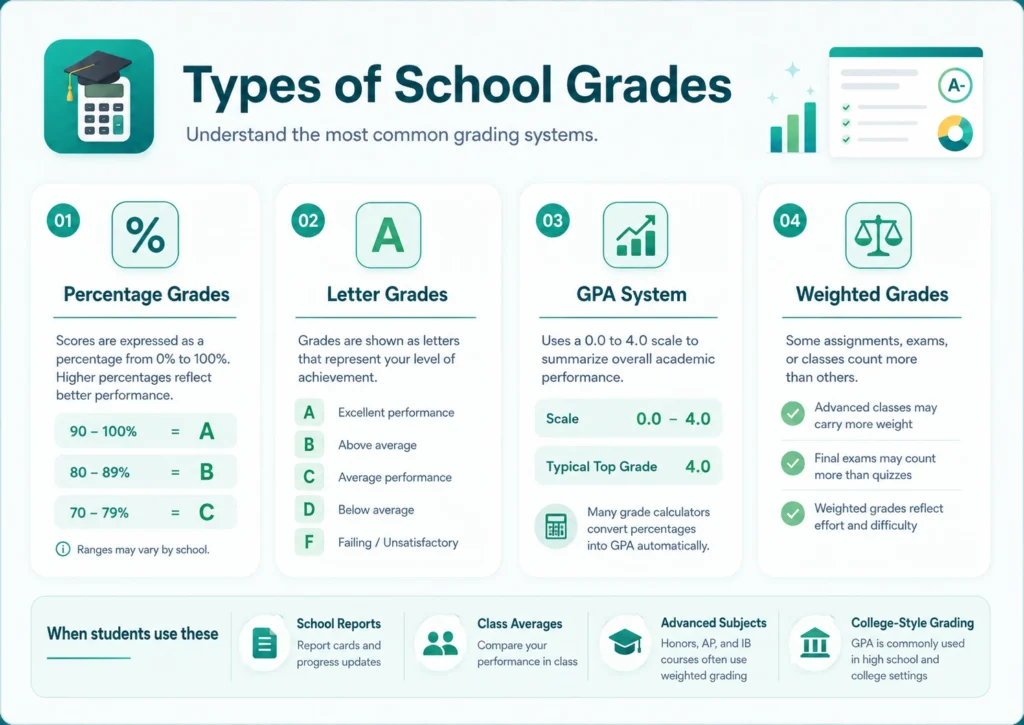
Schools use different grading systems around the world. A school grade calculator can support many of these systems.
Percentage Grades
This system uses numbers from 0% to 100%. Many schools use percentages to show student performance.
Example:
- 90% to 100% = A
- 80% to 89% = B
- 70% to 79% = C
Letter Grades
Some schools use letters instead of percentages. Letter grades are simple and easy to understand.
Common examples include:
- A
- B
- C
- D
- F
GPA System
Colleges and some schools use GPA scores. GPA usually ranges from 0.0 to 4.0.
A school grade calculator can convert percentages into GPA scores automatically.
Weighted Grades
Some schools give more importance to advanced subjects or final exams. Weighted grades help reflect that extra difficulty.
How to Calculate School Grades Manually
A school grade calculator makes calculations easy, but it is still useful to understand the manual process.
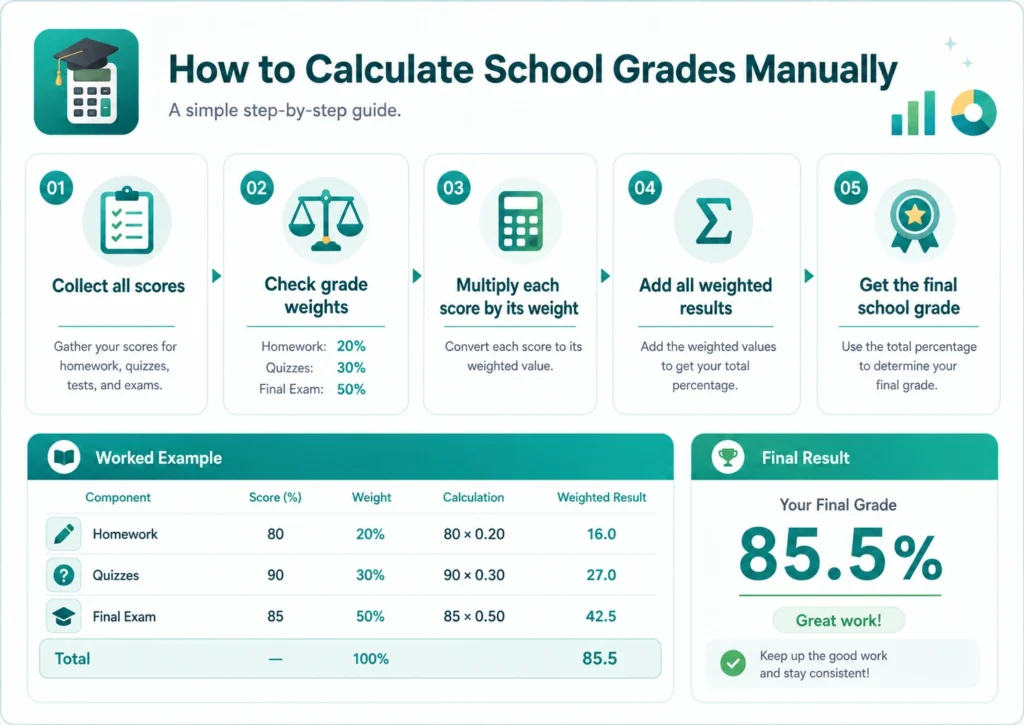
Step 1: Collect All Scores
Write down all assignment marks, quiz grades, test scores, and exam results.
Step 2: Check Grade Weights
Find out how much each category counts toward the final grade.
Example:
- Homework = 20%
- Quizzes = 30%
- Final Exam = 50%
Step 3: Multiply Scores by Weights
Multiply each score by its percentage weight.
Example:
- Homework score: 80 × 0.20 = 16
- Quiz score: 90 × 0.30 = 27
- Final exam score: 85 × 0.50 = 42.5
Step 4: Add All Results
Add all weighted scores together.
16 + 27 + 42.5 = 85.5
The final grade is 85.5%.
A school grade calculator does all these steps automatically.
Who Can Use a School Grade Calculator?
A school grade calculator is useful for many people, not just students.
Students
Students use the tool to check grades during the semester and before exams.
Parents
Parents can monitor school performance and help children improve weak subjects.
Teachers
Teachers can quickly calculate averages and class results.
Tutors
Tutors use grade calculators to track student progress during lessons.
Features of a Good School Grade Calculator
Not every calculator works the same way. A good school grade calculator should include useful features that make grade tracking easier.
Easy Input System
Students should be able to enter scores quickly without confusion.
Fast Results
The calculator should show answers instantly.
Multiple Grade Systems
A good tool supports percentages, letter grades, and GPA calculations.
Mobile Friendly Design
Many students use phones or tablets, so the calculator should work on all devices.
Accurate Calculations
The tool should provide correct and reliable results every time.
Common Grade Calculation Mistakes
Students sometimes make mistakes when calculating grades manually. A school grade calculator helps avoid these problems.
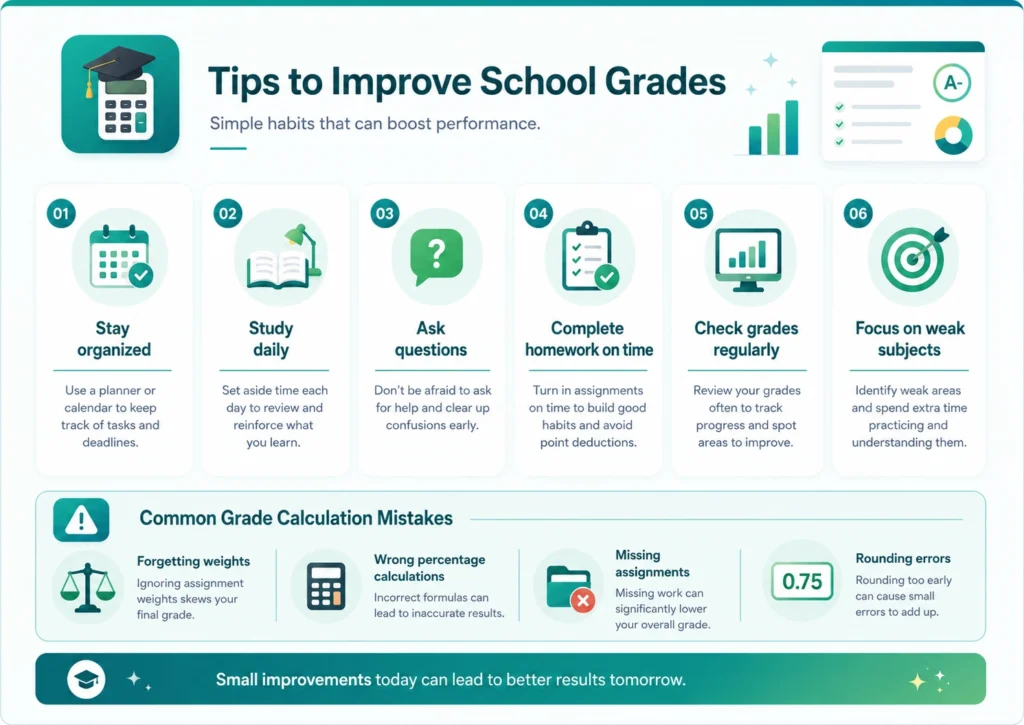
Forgetting Grade Weights
Some assignments count more than others. Ignoring weights can give incorrect results.
Wrong Percentage Calculations
Adding percentages incorrectly can change the final grade.
Missing Assignments
Forgetting to include quizzes or homework can lower accuracy.
Rounding Errors
Manual calculations often include rounding mistakes.
Using a school grade calculator reduces all these errors.
Tips to Improve School Grades
A school grade calculator can help students track progress, but improving grades also requires good habits.
Stay Organized
Keep homework, assignments, and notes in one place. Organization helps students avoid missing work.
Study Daily
Short daily study sessions work better than last-minute cramming.
Ask Questions
Students should ask teachers for help when topics feel difficult.
Complete Homework on Time
Late assignments can reduce grades quickly.
Use a Grade Calculator Often
Checking grades regularly helps students understand where improvement is needed.
Why Online Grade Calculators Are Popular
Online tools have become common because students want fast and simple solutions. A school grade calculator can be used anytime without downloading software.
Most calculators work directly in the browser. Students only need internet access and their scores. Many online tools are free and easy for beginners.
Another reason for popularity is convenience. Students can calculate grades from home, school, or even while traveling.
School Grade Calculator for Different Subjects
A school grade calculator can work for almost every subject.
Math Grades
Students can calculate homework averages, quiz scores, and test results.
Science Grades
Lab work, assignments, and exams can all be added together.
English Grades
Essay scores, reading tests, and presentations can be calculated easily.
History Grades
Projects, reports, and quizzes can be included in the final grade.
The calculator works the same way for most subjects.
How Teachers Use Grade Calculators
Teachers also use school grade calculators to save time during grading.
They can calculate:
- Student averages
- Class performance
- Assignment scores
- Final report card grades
Using a calculator reduces manual work and helps teachers focus more on teaching.
Some teachers also use calculators to explain grading systems to students.
School Grade Calculator vs Manual Calculation
Many students still calculate grades using paper and calculators, but online tools are easier in most situations.
Feature | Manual Method | School Grade Calculator |
|---|---|---|
Speed | Slow | Fast |
Accuracy | Can include mistakes | More accurate |
Easy to Use | Sometimes confusing | Simple |
Time Saving | No | Yes |
Mobile Friendly | No | Yes |
A school grade calculator gives quicker and clearer results for most students.
How Often Should Students Check Grades?
Students should check grades regularly instead of waiting for final exams.
Good times to use a school grade calculator include:
- After quizzes
- After homework grades
- Before final exams
- During semester reviews
- Before report cards
Regular grade tracking helps students stay prepared throughout the year.
Online School Grade Calculator for Parents
Parents often want to understand how children are performing in school. A school grade calculator makes this easier.
Parents can:
- Track homework scores
- Monitor test results
- Check semester averages
- Help children set study goals
Using the calculator together can help students stay motivated.
Best Way to Use a School Grade Calculator
To get accurate results, students should follow a simple process.
Enter Correct Scores
Always double-check assignment marks before entering them.
Use Proper Weights
Make sure quizzes, homework, and exams use the correct percentages.
Update Grades Regularly
Do not wait until the end of the semester. Add scores after every assignment.
Compare Results
Check grades often to understand progress over time.
These habits help students use the calculator more effectively.
Conclusion
A school grade calculator is one of the easiest tools students can use to track academic performance. It helps calculate grades quickly, reduces mistakes, and saves time. Students can use it for homework scores, quiz results, exam marks, and final averages.
This tool is useful for students, parents, teachers, and tutors. It supports different grading systems and makes grade calculations easier to understand. Instead of struggling with manual math, students can focus more on studying and improving their performance.
Using a school grade calculator regularly helps students stay organized and understand their progress during the school year. Whether you want to improve grades, prepare for exams, or track class performance, this tool can make school grading much simpler.