
Current Grade Calculator | Check Your Class Grade Instantly Before Finals
US Grading Scale
Other Tools for Current Grade Tracking
What Is a Current Grade Calculator?
A current grade calculator helps students check their present course grade before the final exam or the end of the semester. Many students want to know where they stand in class after quizzes, homework, projects, and tests. This tool makes the process simple because you only need to enter your scores and percentages. The calculator then gives an estimated current grade based on the marks you already received. Students can use it to track progress, improve weak areas, and understand how future assignments may affect results.
A current grade calculator is useful for middle school, high school, college, and university students. Teachers and parents also use these tools to understand academic performance during the school year. Instead of solving grade formulas by hand, students can save time and avoid mistakes with an online calculator.
How Does a Current Grade Calculator Work?
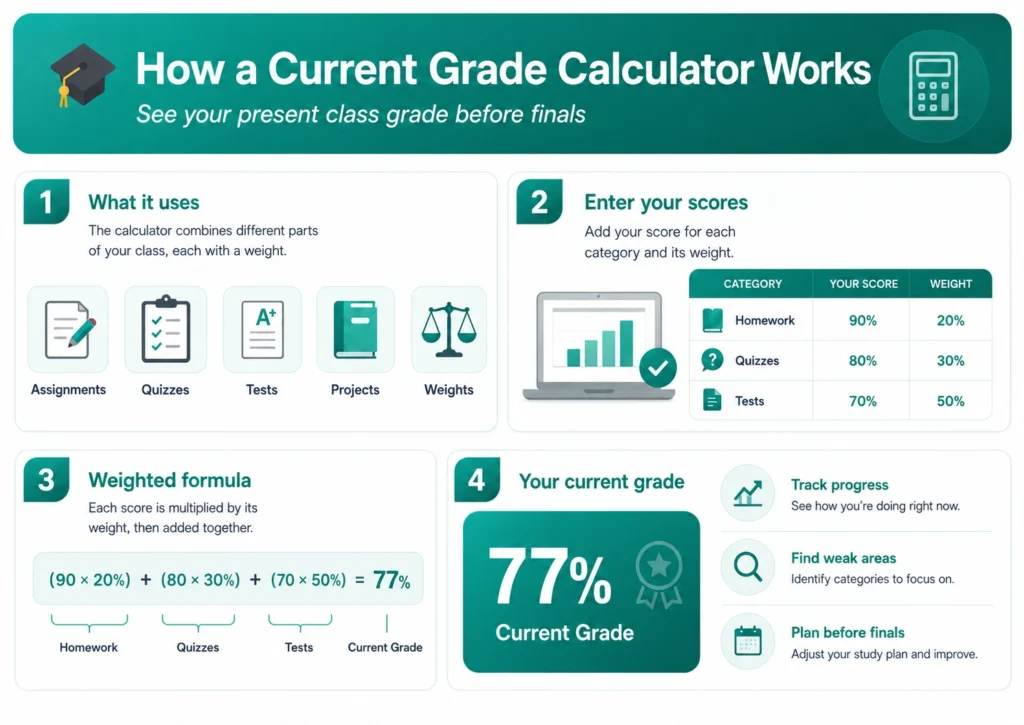
A current grade calculator works by using your completed assignments and their weight percentages. Most classes include quizzes, homework, projects, midterms, and exams. Each category may count for a different percentage of the final grade. The calculator combines these values and shows your current average.
For example, imagine your class grading system looks like this:
- Homework = 20%
- Quizzes = 30%
- Tests = 50%
Now suppose your scores are:
- Homework score = 90%
- Quiz score = 80%
- Test score = 70%
The calculator multiplies each score by its weight:
- 90 × 20% = 18
- 80 × 30% = 24
- 70 × 50% = 35
Then it adds all results together:
Final calculation:
18 + 24 + 35 = 77%
So, your current grade is 77%.
Your current grade becomes 77%.
Why Students Use a Current Grade Calculator
Many students check grades regularly to stay prepared during the semester. Waiting until the final exam can create stress because there may not be enough time to improve scores. A current grade calculator gives quick feedback about academic performance.
Students use the tool for different reasons:
- To know their current class standing
- To prepare for upcoming exams
- To set grade goals
- To avoid low grades at the end of the semester
- To understand weighted grading systems
- To track academic improvement
The calculator is also useful for scholarship students who must maintain a certain GPA or percentage. By checking grades early, they can plan better study schedules and focus on weak subjects.
Information Needed to Calculate Your Current Grade
Before using a current grade calculator, students should collect all completed scores and grading details from the class syllabus. Accurate information helps the calculator provide correct results.
Most calculators require:
- Assignment scores
- Quiz grades
- Test marks
- Category weights
- Total possible points
- Completed coursework percentages
Some schools use percentage grading systems, while others use letter grades or GPA scales. A current grade calculator can often support multiple grading methods. Students should make sure they choose the correct grading format before calculating results.
Step-by-Step Guide to Use a Current Grade Calculator
Using a current grade calculator is simple, even for younger students. Most online calculators follow similar steps. Students only need a few minutes to complete the process.
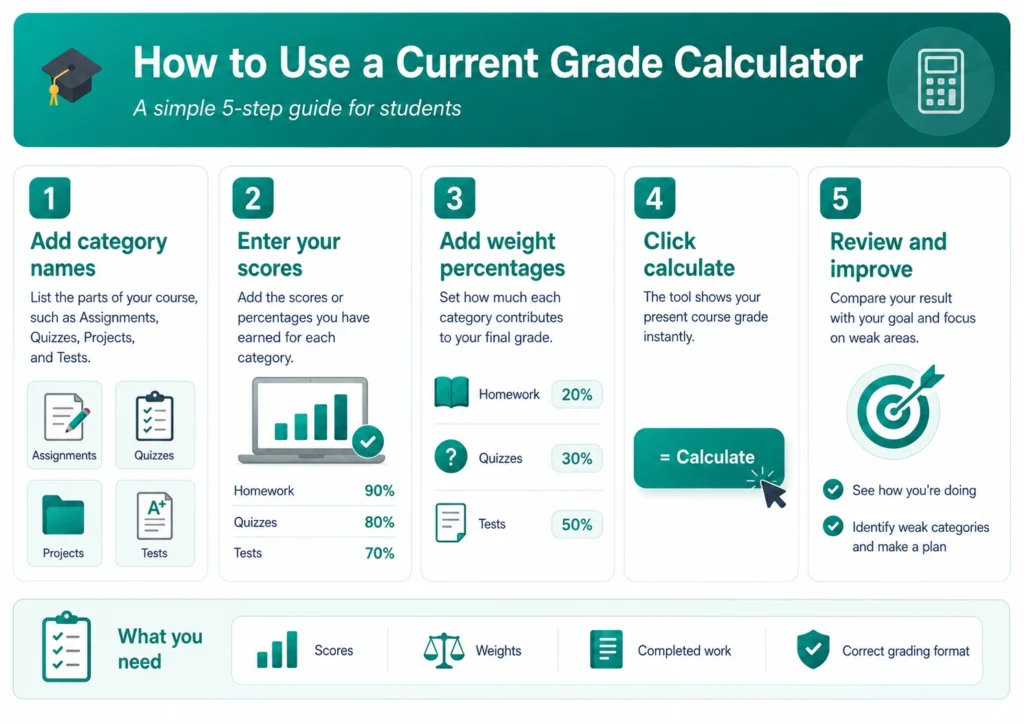
Step 1: Enter Assignment Names
Start by entering the names of completed assignments or categories. These may include homework, quizzes, projects, or exams. Naming categories properly helps students organize grades clearly.
Step 2: Add Your Scores
Enter the marks you earned for each assignment. Some calculators ask for percentages, while others ask for points earned out of total points.
Step 3: Enter Weight Percentages
If your class uses weighted grading, add the percentage value for each category. For example, homework may count for 20% while exams count for 50%.
Step 4: Calculate the Result
After entering all details, click the calculate button. The current grade calculator will instantly show your present course grade.
Step 5: Review Your Performance
Check the result carefully and compare it with your academic goal. If your grade is lower than expected, you can plan ways to improve future scores.
Current Grade Calculator for Weighted Classes
Many schools use weighted grading systems. In this method, different assignments affect the final grade differently. Tests usually carry more value than homework or participation.
A current grade calculator helps students understand these weighted systems without confusion. Instead of manually multiplying percentages and scores, the calculator handles the process automatically.
For example, imagine a student has:
- Homework average: 90% worth 20%
- Quiz average: 80% worth 30%
- Test average: 70% worth 50%
Current Grade = (90 × 20%) + (80 × 30%) + (70 × 50%) = 77%
The calculator combines these weighted values to estimate the current grade. This allows students to see how strong or weak performance in one category affects the overall result.
Current Grade Calculator for College Students
College courses often include complex grading systems with multiple assignments, labs, presentations, and exams. A current grade calculator becomes helpful because students manage many subjects at the same time.
University students use these tools before finals to estimate required scores. Some students also use calculators to maintain scholarship requirements or program eligibility. Since college grading policies vary between instructors, calculators provide a quick way to organize academic information.
Many college students prefer online calculators because they work on phones, tablets, and laptops. This makes grade tracking easy during classes or study sessions.
Benefits of Using a Current Grade Calculator
A current grade calculator offers several advantages for students of all ages. It saves time, reduces confusion, and helps students stay organized throughout the academic year.
Saves Time
Manual grade calculations can take time, especially in weighted classes. A calculator provides instant results within seconds.
Reduces Math Errors
Students sometimes make mistakes when calculating averages by hand. The calculator handles formulas automatically and improves accuracy.
Helps With Goal Setting
Students can compare their current performance with target grades. This helps them plan study goals more effectively.
Improves Academic Planning
Knowing current grades early allows students to improve before the semester ends. Small changes in study habits can increase final results.
Easy for All Students
Most grade calculators have simple layouts that work for beginners, school students, and college learners.
Difference Between Current Grade Calculator and Final Grade Calculator
Students often confuse a current grade calculator with a final grade calculator, but both tools serve different purposes.
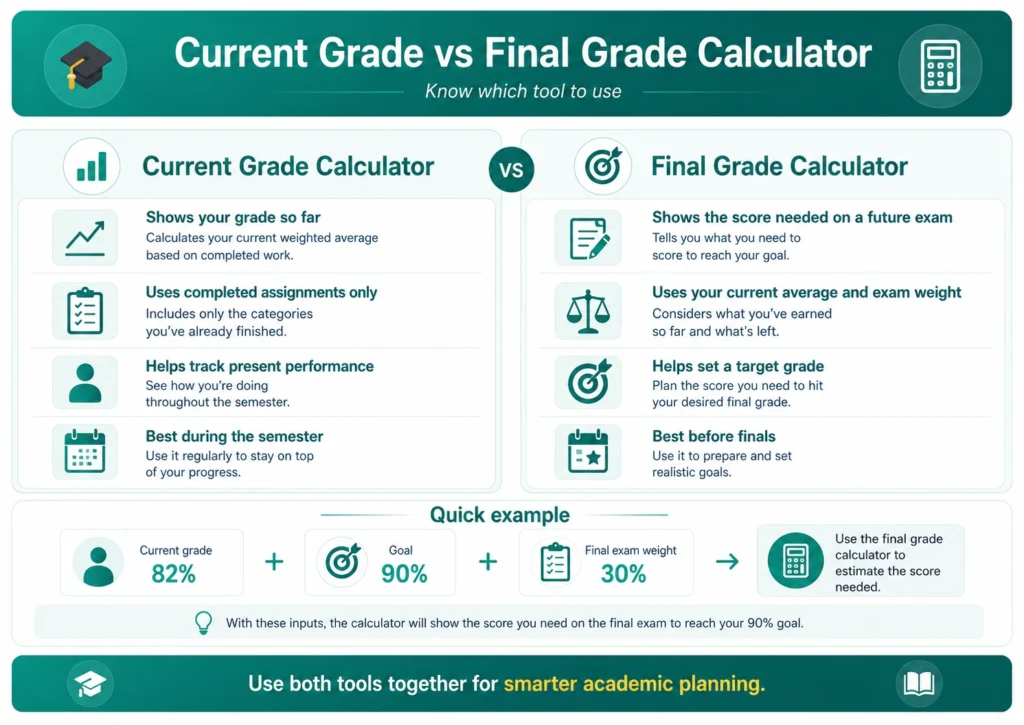
A current grade calculator shows the grade earned so far based on completed assignments. It focuses on present performance during the semester.
A final grade calculator estimates the score needed on future exams or assignments to achieve a desired final grade. Students use it near the end of the course to set grade targets.
For example, if a student currently has 82% and wants a final grade of 90%, a final grade calculator can estimate the required exam score. Meanwhile, a current grade calculator only displays the existing grade based on completed work.
Common Grading Systems Used in Schools
Schools around the world use different grading systems. A good current grade calculator supports several formats so students can calculate grades easily.
Percentage Grades
Percentage grading is common in many schools and colleges. Students receive scores out of 100.
Letter Grades
Some schools use letter grades such as A, B, C, D, and F. These letters represent performance ranges.
GPA System
Colleges often use GPA scales such as 4.0 or 5.0 systems. GPA calculators and current grade calculators may work together for academic planning.
Points-Based Grading
In points systems, students earn points for assignments and exams. The total earned points determine the final percentage.
Understanding the grading system helps students enter accurate information into the calculator.
Tips to Improve Your Current Grade
A current grade calculator not only shows results but also helps students make better study decisions. If your current grade is lower than expected, small improvements can still make a difference.
Attend Classes Regularly
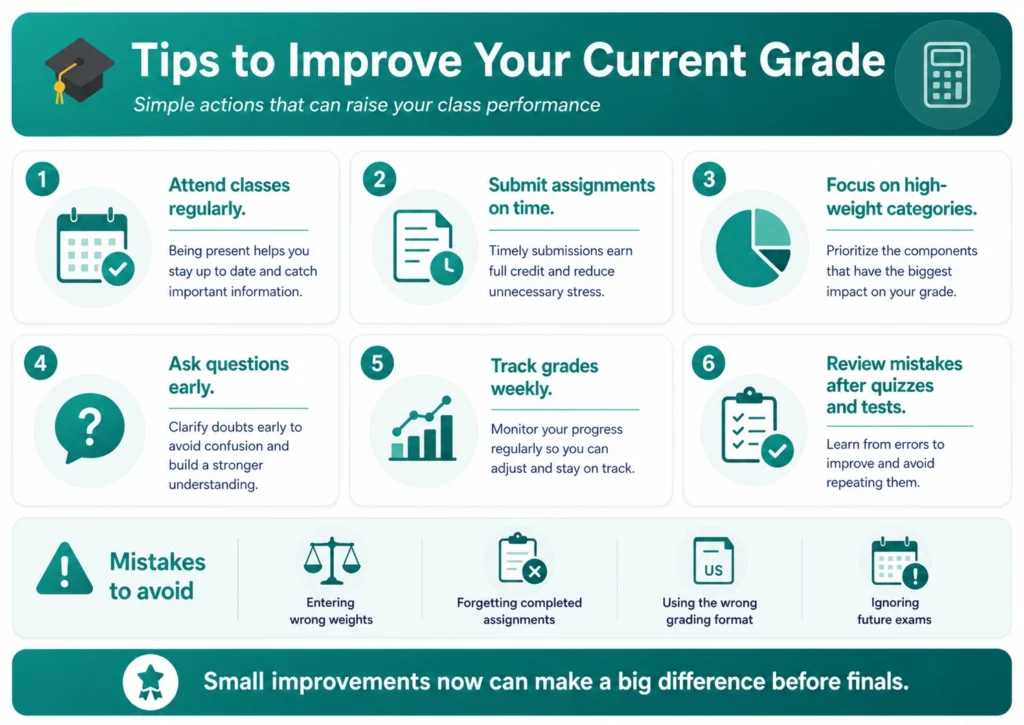
Missing classes often leads to lower scores because students miss lessons, homework instructions, and important announcements.
Submit Assignments on Time
Late submissions may reduce marks. Completing assignments before deadlines can improve overall grades.
Focus on High-Weight Categories
Tests and projects usually carry higher percentages. Spending extra study time on these areas can increase the current grade more effectively.
Ask Questions
Students should ask teachers for help when topics become confusing. Early support can prevent future mistakes.
Track Grades Weekly
Checking grades regularly helps students identify weak subjects before it becomes difficult to recover.
Mistakes to Avoid When Using a Current Grade Calculator
Students sometimes receive incorrect results because of small input mistakes. Careful data entry improves calculation accuracy.
Entering Wrong Weights
Category percentages should match the course syllabus exactly. Incorrect weights can change the final result.
Forgetting Completed Assignments
Leaving out quizzes or homework may lower or raise the estimated grade incorrectly.
Using Incorrect Grading Systems
Students should choose the correct format, such as percentages or GPA scales.
Ignoring Future Assignments
A current grade calculator only reflects completed work. Future exams can still change the final outcome.
Who Can Use a Current Grade Calculator?
A current grade calculator is useful for many types of students and educators. The tool is flexible and works across different educational levels.
School Students
Elementary, middle school, and high school students use calculators to understand class performance.
College Students
University students use calculators to monitor grades across multiple courses.
Teachers
Teachers may use calculators to explain grading systems and performance tracking.
Parents
Parents can monitor academic progress and support children during the semester.
Online Current Grade Calculator vs Manual Calculation
Some students still calculate grades manually using paper or spreadsheets. While this method works, online calculators are faster and easier.
Manual calculations require students to remember formulas, percentages, and averages. One small math mistake may change the final result. Online tools reduce this problem because the formula runs automatically.
Online calculators are also more convenient because students can access them anytime from phones or computers. Most tools work instantly and allow students to test different grade scenarios.
How Often Should You Check Your Current Grade?
Students should monitor grades throughout the semester instead of waiting until final exams. Regular tracking helps students stay prepared and avoid surprises.
Checking grades after every major assignment or quiz is a good habit. This helps students understand whether performance is improving or declining.
Weekly grade checks can also reduce stress because students know where they stand academically. Early awareness allows more time for improvement.
Features to Look for in a Current Grade Calculator
Not all calculators offer the same features. A good current grade calculator should be simple, accurate, and easy to understand.
Important features include:
- Weighted grade support
- Percentage and GPA options
- Mobile-friendly design
- Fast calculations
- Multiple assignment categories
- Easy editing options
- Clear result display
Students should choose calculators that provide simple layouts without unnecessary distractions.
Why Accurate Grade Tracking Matters
Tracking grades regularly helps students build better academic habits. Students who understand their progress often make better study decisions and manage time more effectively.
Accurate tracking also reduces panic near final exams. Instead of guessing performance levels, students can rely on real numbers and plan realistic goals.
A current grade calculator supports better academic responsibility because students become more aware of assignment importance, grading weights, and class performance.
Conclusion
A current grade calculator is a useful tool for students who want to monitor academic progress during the semester. It helps calculate present grades using completed assignments, quizzes, projects, and tests. The calculator saves time, improves accuracy, and makes grade tracking easier for students of all ages.
Whether you are in school, college, or university, checking your grades regularly can help you stay organized and improve future performance. By understanding weighted grading systems and monitoring scores early, students can make better decisions before final exams arrive.
Using a current grade calculator regularly can reduce confusion, support academic planning, and help students work toward their target grades with confidence.